
15-Apr 2026 | Major App Overhaul, Set Suggestions & Auto Progression 💪

Version 2.2.1
This is the first half of the major overhaul of the app, to bring you a much more seamless experience to manage & review your workouts.
In this update, it's also about getting you smarter guidance on when to push harder, deeper insights into your performance, and a redesigned workout experience that gets out of the way so you can focus on hitting your sets.
This also marks the first step into the roadmap to make your training even more intelligent. Here is a quick look at the major new changes:
-
Smart set suggestions: Get intelligent weight and rep targets for every set—not just your top set. The app knows your 1RM and flags when you're ready to lift heavier.
-
Customisable progression plans: Stop guessing on progressive overload. Set your rep range and weight increments; the app tracks your progress and tells you when to advance.
-
Workout screen improvements: Streamlined, distraction-free interface. Inline actions, performance metrics at a glance, less friction between you and your sets.
-
Better analytics & tracking: Deeper insights into your training. Customize how you analyze lifts, track recovery by muscle group, and see your performance breakdown per exercise.
-
Revamped screens: The exercise, routine and session screens have all gone through a major overhaul, with more concise insights and optimised controls.
Key Highlights
1. Set Suggestions
Smarter weight & rep recommendations for every set. The revamped suggestion system calculates your target weight and reps based on your estimated 1RM and workout history, so you always know exactly what you should be lifting.
How it works:
-
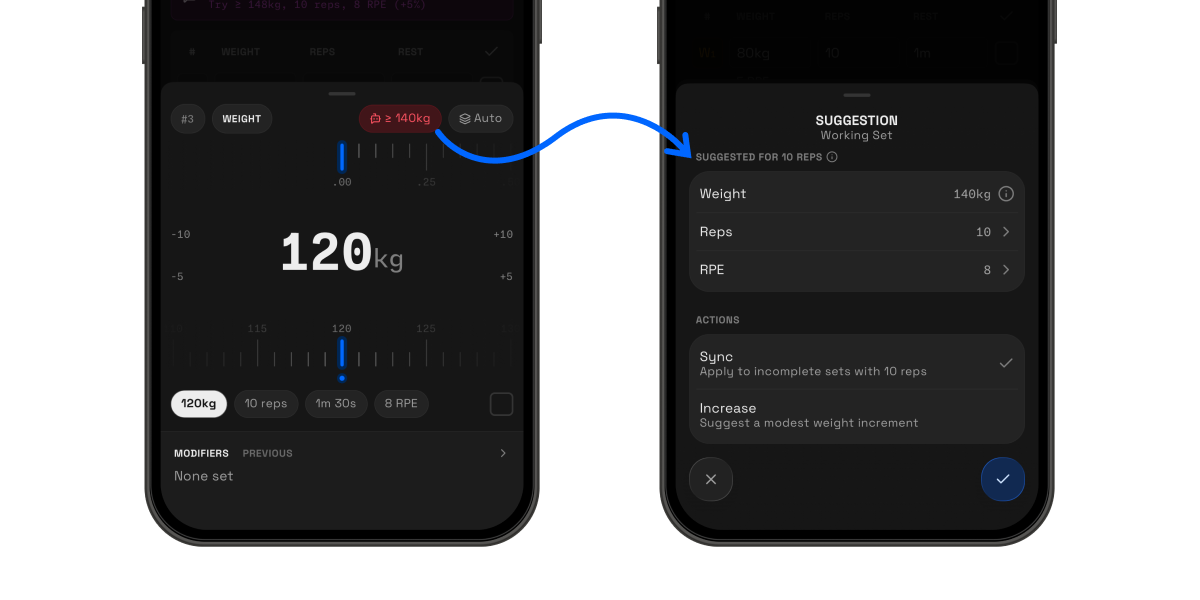
For working sets, the target weight is based on your estimated 1RM and the number of reps configured. Switch to editing reps? It'll suggest how many you should hit at your chosen weight.
-
Tap the suggestion button in your set editor use the suggestion. Green means you're on track; red means you're below target.
-
Suggestions will also be scaled down automatically for feeder sets, to work up safely to your top working set
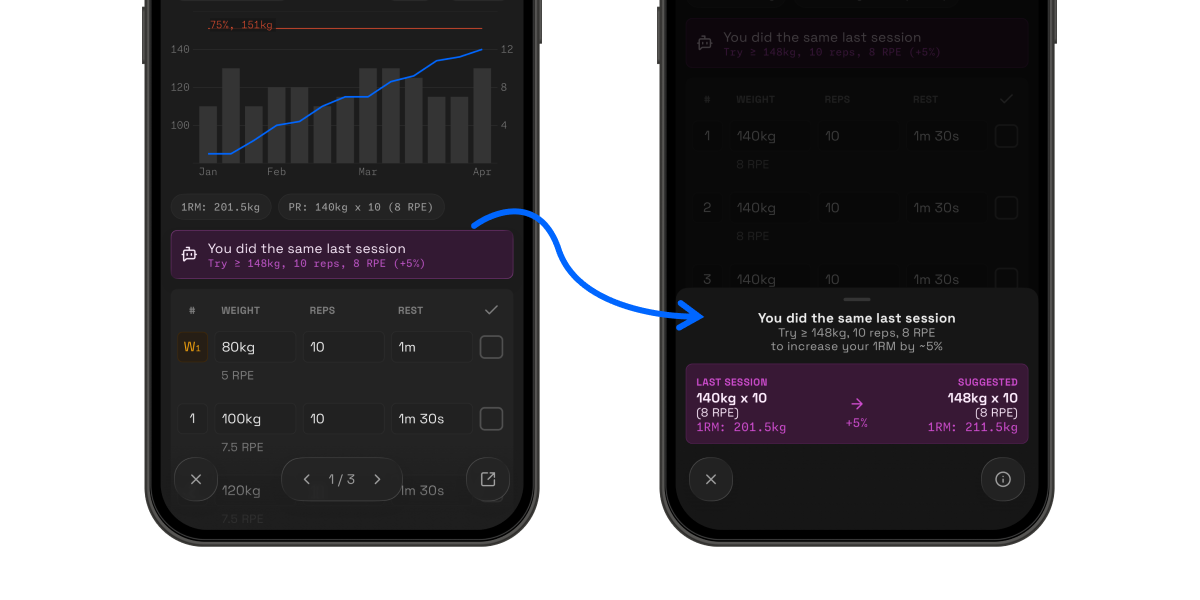
Plateau buster: Lifting the same weight as last session? The app flags it and suggests a modest increase to keep driving progress.
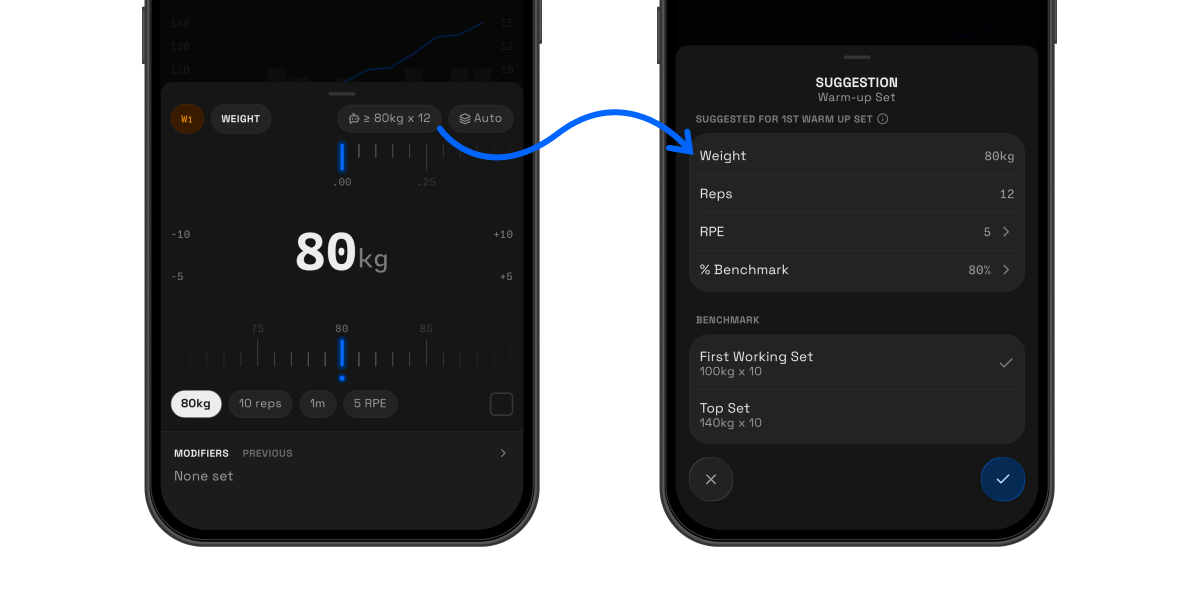
Warm-up sets: Configure them as a percentage of your first working set, or use your top set as the benchmark, everything is fully customisable.
You decide whether to accept the suggestions, the app simply does the calculations for you and will never force a decision on you.
2. Customisable Progression Plans
Feeling stuck with your training? Structure your training progression with a simple but robust double progression system: increase the reps within your range, then increase the weight. Build a plan based on quantitative measures using your past lifts, not guesswork.
Here's how to set it up:
1. Enabling the progression: Switch your suggestions from 1RM maximisation to following your custom progression plan. One toggle, and your suggestions align with your goals.
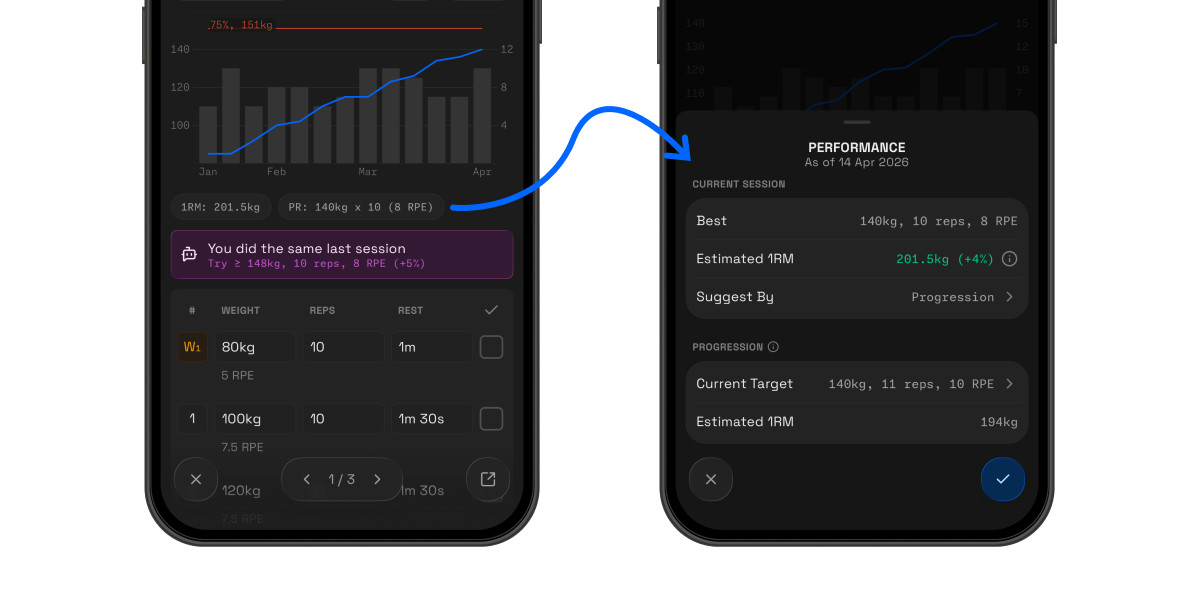
2. Building your plan: Configure your desired rep range, how many sets per session before bumping reps, and your ideal weight increment.
Not sure on what to set? The initial configuration will be based on your historical sets, so all you really need to worry about is if the weight increment is too fast for you.
The progression configuration is easily accessible via the exercise screen.
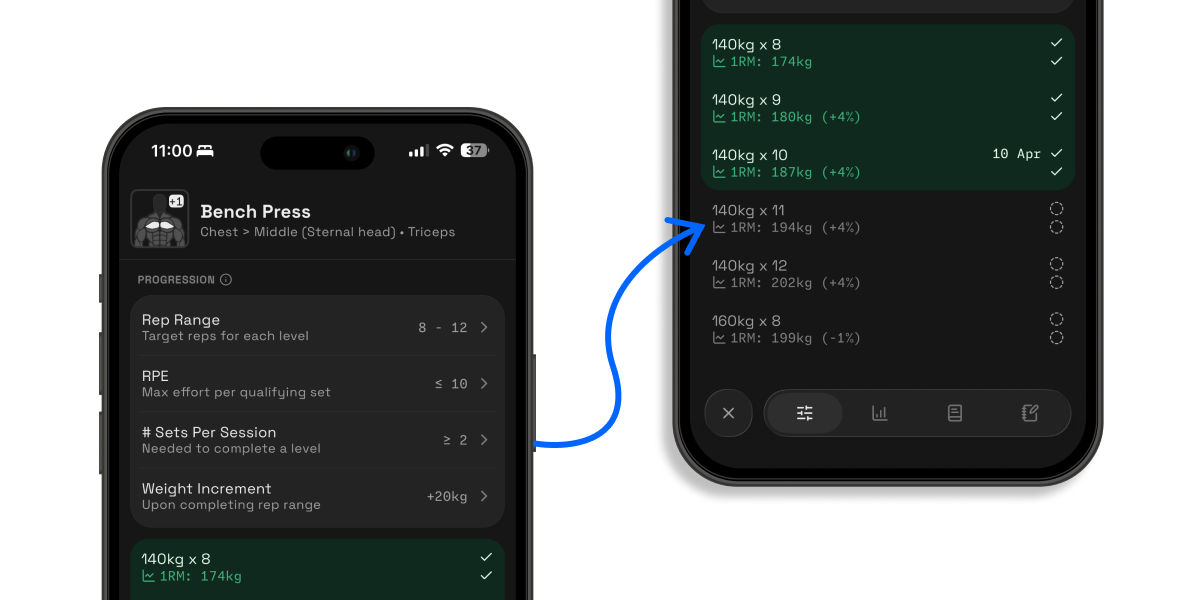
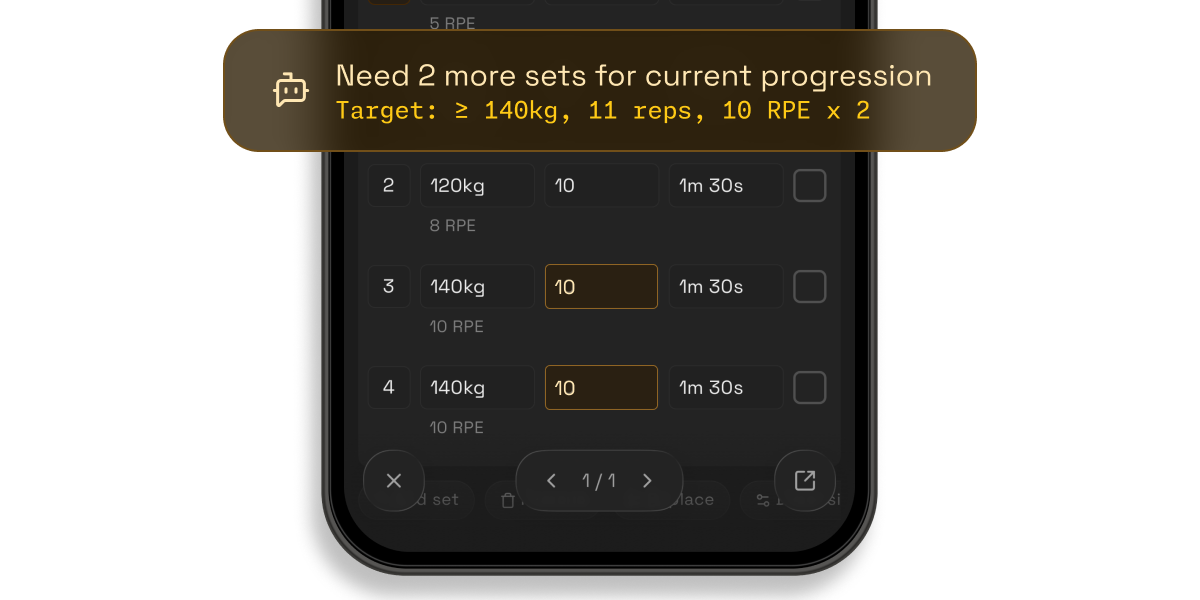
3. Sticking to the plan: The app flags when you're off track and prompts you to make some adjustments. You can easily update your sets to the progression target via the set suggestions.
What's new
-
Recovery tracking: Muscle breakdown now indicates the # days your muscles had to rest since your last workout
-
Offline support: Start & complete your workouts even without an internet connection, defer saving it till when you are connected
-
Faster loading: Optimised activity sync & data downloading to improve the app loading speeds
-
Exercise charts: Support for custom dimensions beyond just the default weight × reps
-
1RM breakdown: Simplified exercise performance showing the appropriate weight for each rep based on your current performance
-
Map support: View your route on a map for runs and hikes, and even save the locations for your workouts and routines.
-
Expanded activity support: Better integration with Apple Health for different activity types (hiking, running, etc.), with additional metrics like elevation, pace, and splits for cardio.
Other Improvements
-
Improved light theme with better readability
-
Revamped exercise & routine screens
-
Revamped numpad input format with a larger number display, set completion & edit set modifiers support
-
Consolidated exercise note module that displays all exercise notes across different routines and sessions in one place
-
Inline actions for exercises during a workout instead of being in a separate modal for faster configurations
-
Improved set layout with more emphasis on primary dimensions and better spacing for labels (e.g. modifiers & previous sets)
-
Workout view now supports individual exercise performance metrics, muscle tags & inline rendering of modifiers, so you get a much better overview of your session
-
New workout completion screen with more concise metrics & faster redirects back to the main screen
-
Reworked inputs for superset & drop set modifiers
-
Filter by activity type and improved layout for metrics in the activities tab
✈️ Up next
This is just the first part of the app overhaul, some things that you can expect in the next update are as follows:
-
Revamped train tab with better training insights & utility
-
Optimised routine selection before starting a workout
-
Improved audio cues during training
Feel free to drop a suggestion or vote on the feedback board (https://strongsplit.userjot.com/). Let me know what else you really need!
❤️ Rate Strongsplit
If you enjoy using the app, do help to leave a review on the App Store, it would help tremendously. Thank you!
App Store: https://apps.apple.com/us/app/strongsplit/id6742700868