
19-Jun 2026 | Data Imports & Exports

Version 2.2.6
This update is primarily focused on data portability, introducing export & import functionalities for your sessions and/or routines. This might look like simple file transfers on the surface, but these tools are the keys to a whole new world of utility.
The data portability will bridge the gap between "just data" and AI-powered coaching. By feeding full history logs or routines into your favourite platforms like Claude or ChatGPT, anyone can now access deep-dive insights and personalized training summaries to leverage the powers of AI.
It isn't just about moving files, it’s about turning past performance into actionable intelligence for future success.
Access them in the Settings > Data or right at the bottom of the training tab.
1. Data Export
Your workout data always belongs to you. That’s why it is now easier than ever to export your workout history and routines for backups, personal tracking, or deep-dive analysis. But instead of just a spreadsheet, there is now a way to turn those numbers into a smarter fitness plan.
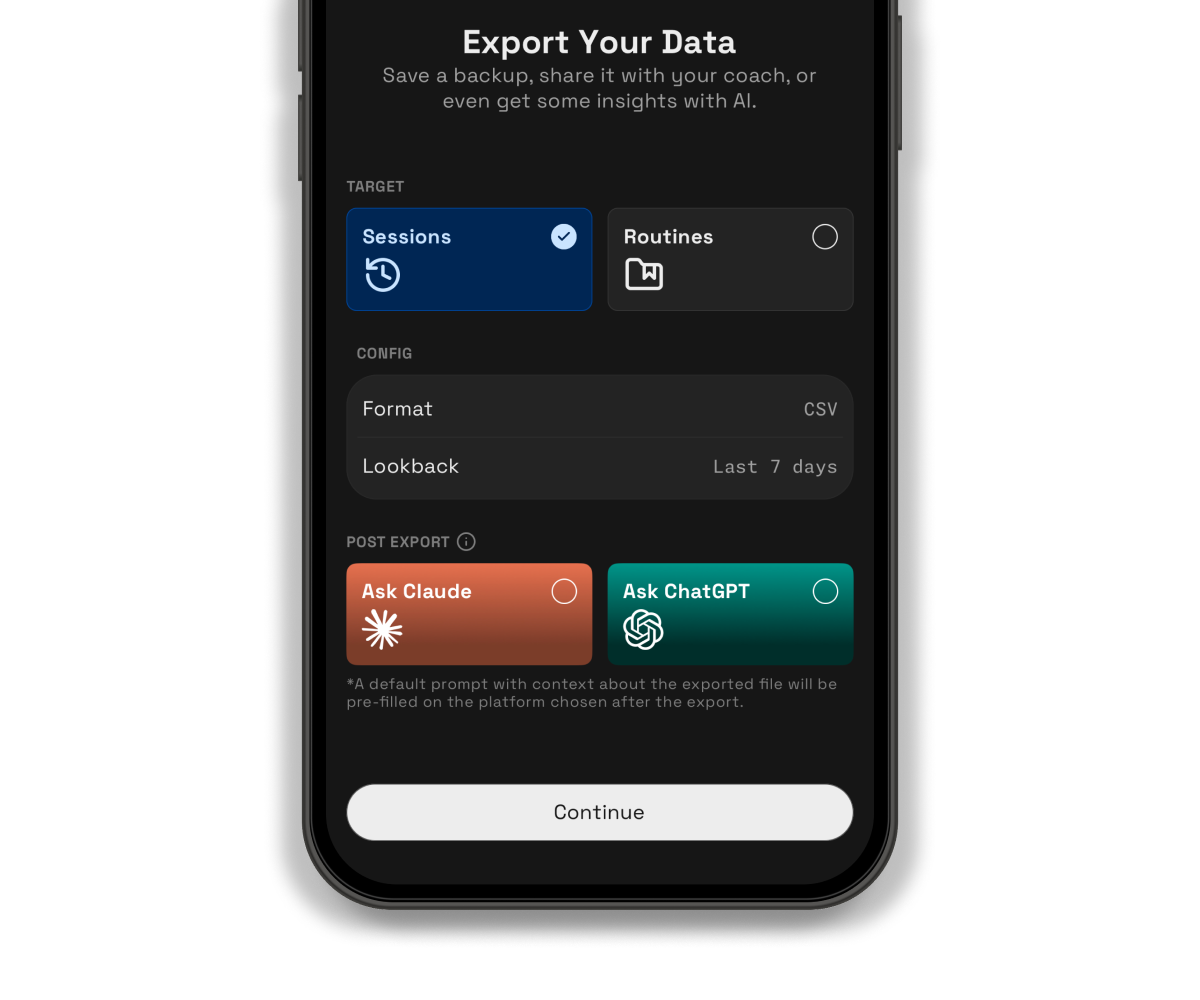
You can send your export directly to Claude or ChatGPT to act as your personal coach. By analyzing your history, it can spot plateaus you might have missed and suggest fresh improvements for your routines. Here’s how it works:
-
Select the export config & save your exported file
-
Choose Claude or ChatGPT as a post export action
-
You will be redirected to Claude or ChatGPT with a helpful pre-filled prompt to explain the data and schema (it will never be auto-submitted).
-
Just ensure you have the Claude or ChatGPT app installed on your phone and attach your exported file.
Whether you want a simple backup or an AI-powered coach to optimize your gains, your data is ready whenever you are.
2. Routine Imports
Following up on the data export update, getting settled in is now even easier. You can now import your routines directly into the app using .csv or .json files!
This update focuses on saving time and effort. Whether porting over a complicated split from another app or using AI to optimize training, there's no need to manually enter every single set and rep.
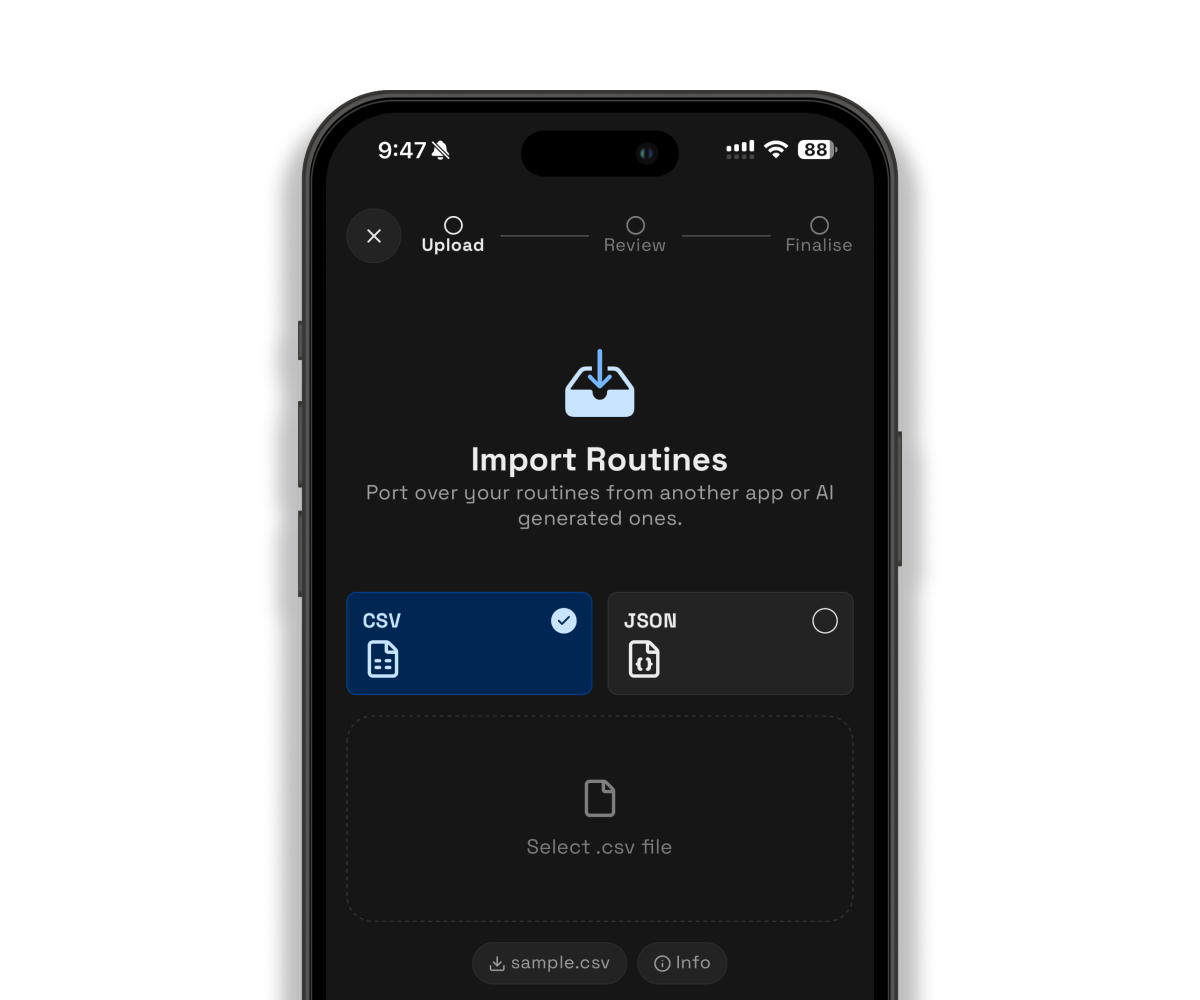
You can provide this link of the data schema to your favorite AI platform to help it generate perfectly formatted workout routines tailored just for you. Once it spits out the file, just upload it and you're ready to hit the gym.
A quick note: Currently, this feature only supports importing routines. Migrating full history logs of past workout sessions from other apps is not supported at this time.
✈️ Up next
Widgets & iOS shortcuts are coming up in the next update! Making it a lot more easier to start your routines with a single tap or to build a habit to start keeping track of your body measurements.
Feel free to drop a suggestion or vote on the feedback board on what you would like to see next!
Feedback board: https://strongsplit.userjot.com/
❤️ Rate Strongsplit
If you enjoy using the app, do help to leave a review on the App Store, it would help tremendously. Thank you!
App Store: https://apps.apple.com/us/app/strongsplit/id6742700868