27-Jun 2026 | Widgets & Shortcuts

Version 2.2.7
In this release, we’re introducing two major features to supercharge your iOS experience: Widgets & Shortcuts. Unlock even better ways to track your training and to start your routines, with potential automations based on the day of the week or even trigger them based on your current location!
Here's what you can expect:
1. Widgets
Starting today, Strongsplit has a fully featured set of widgets that you can incorporate into your home or lock screen, to quickly start a routine, add measurements or to see your training metrics faster than ever before.
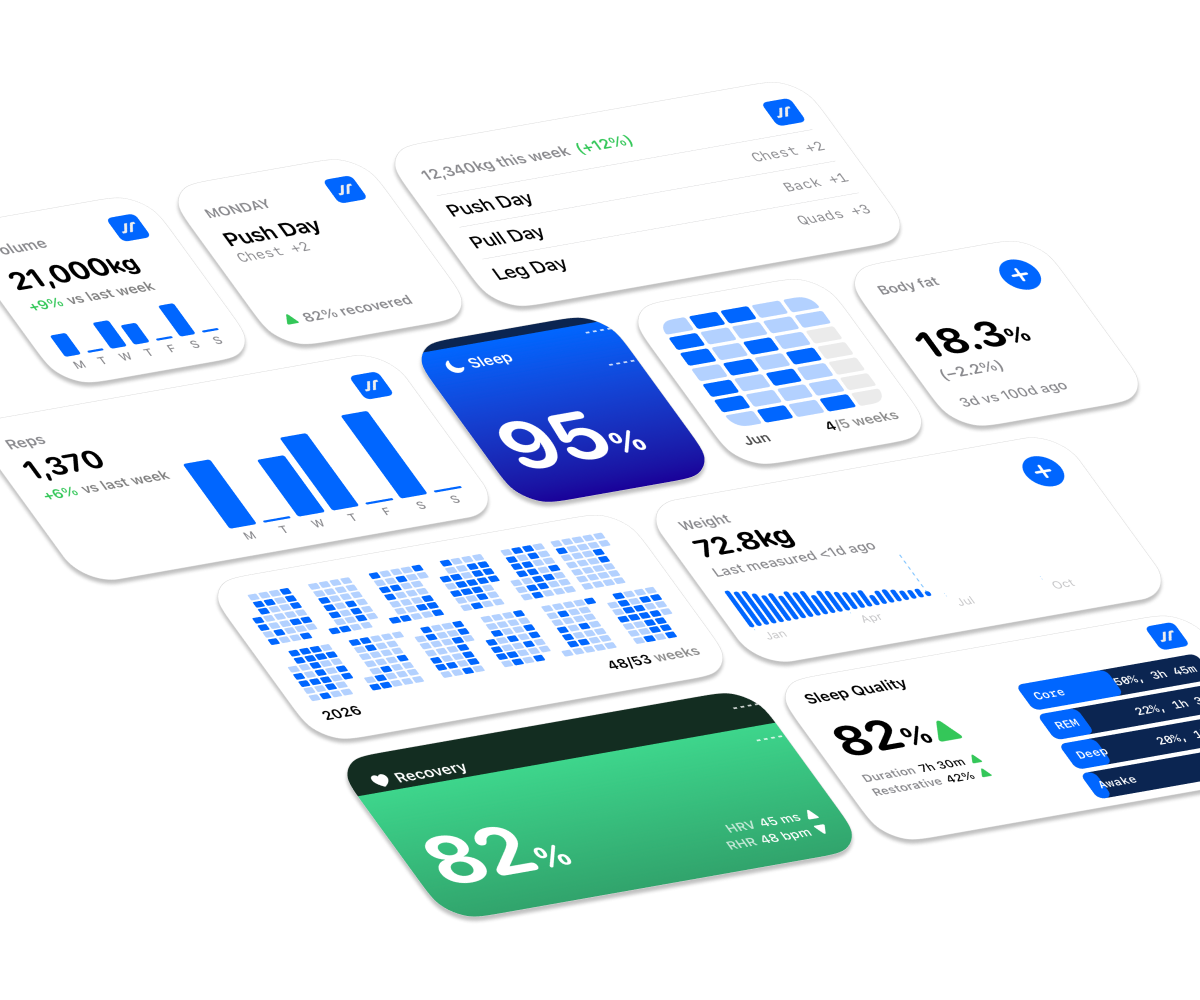
What can you do with the new widgets?
-
Jump straight into your workout: Set up a daily routine widget so your Monday leg day or Friday chest routines are ready to go the moment you hit the gym. One tap and you’re tracking.
-
Keep an eye on your wins: Pick the metrics that matter most to you, whether it’s training volumes, body weight, or consistency streaks, and see them update in real-time.
-
Know when to push (and rest): If you track your sleep via Apple Health, you can now view your Recovery Score on your home screen. It’s like a green light for your body, telling you if it’s time to go for a personal best or take a well-deserved rest day.
Once you’ve added a widget, just give it a long press to open the configuration menu. From there, you can choose exactly which routines or metrics you want to display for selected widgets. It’s simple, clean, and built to keep you moving.
2. Shortcuts
You could setup automations such as getting a morning report with your recovery & sleep score to tweak your training accordingly, or to make use of your action button to quickly start a routine around your schedule (or even location).
To get started, you can use the pre-built shortcuts available in the Settings > Shortcuts.
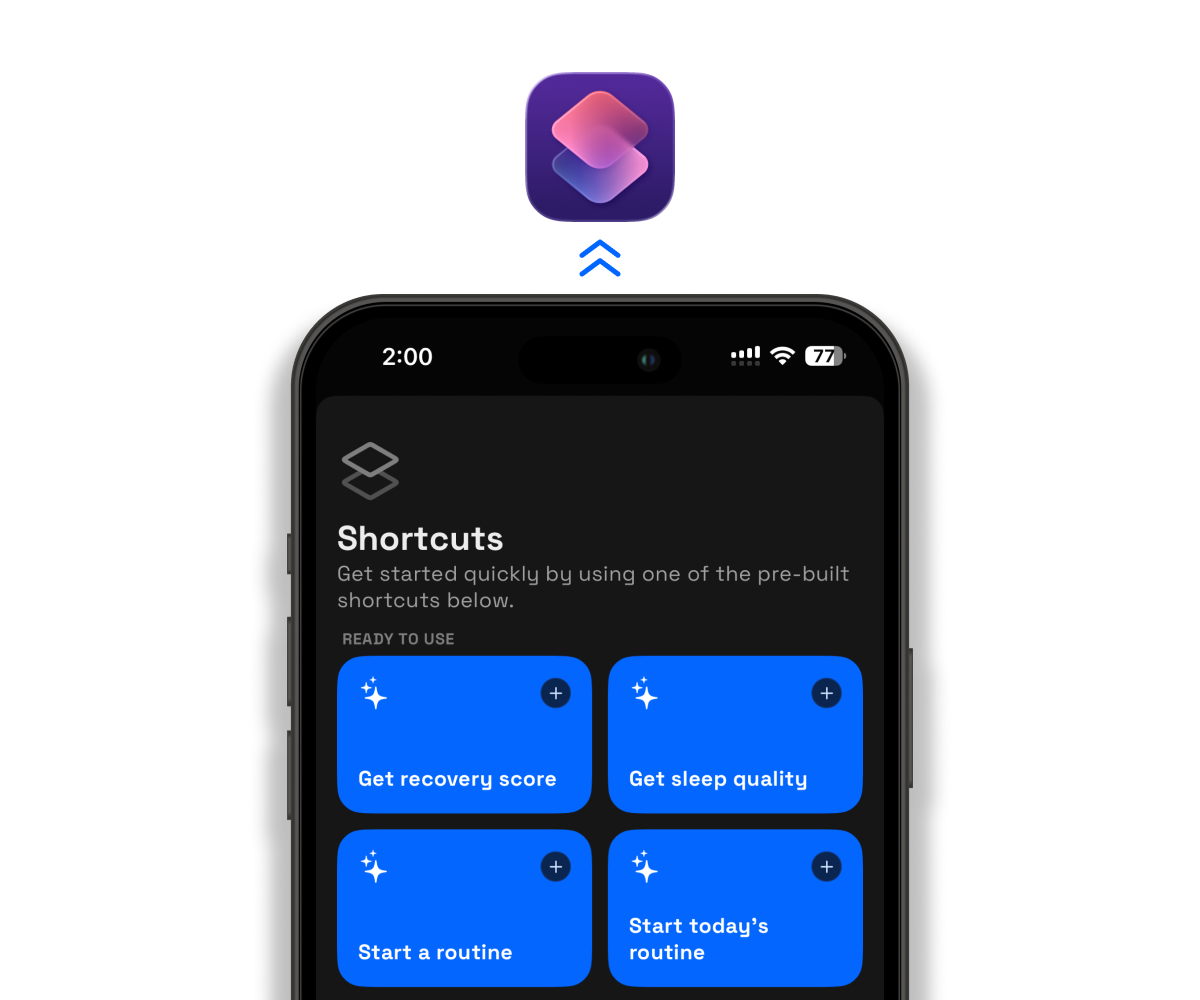
Beyond the pre-built shortcuts, you can now add these actions to your own shortcuts:
-
Get Recovery & Sleep Scores: Check your readiness levels without even opening the app.
-
Start a Routine: Jump straight into your favorite programmed session.
-
Start Empty Workout: Perfect for those days when you just want to wing it and lift.
-
Get Routine List / Location: Great for power users to get your routines to build your own automations.
3. Week Start Customisation
We know that not everyone’s fitness journey follows a traditional calendar. Whether you’re a weekend warrior who starts on a Saturday or someone who treats Wednesday like Day One, your app should keep up with your rhythm.
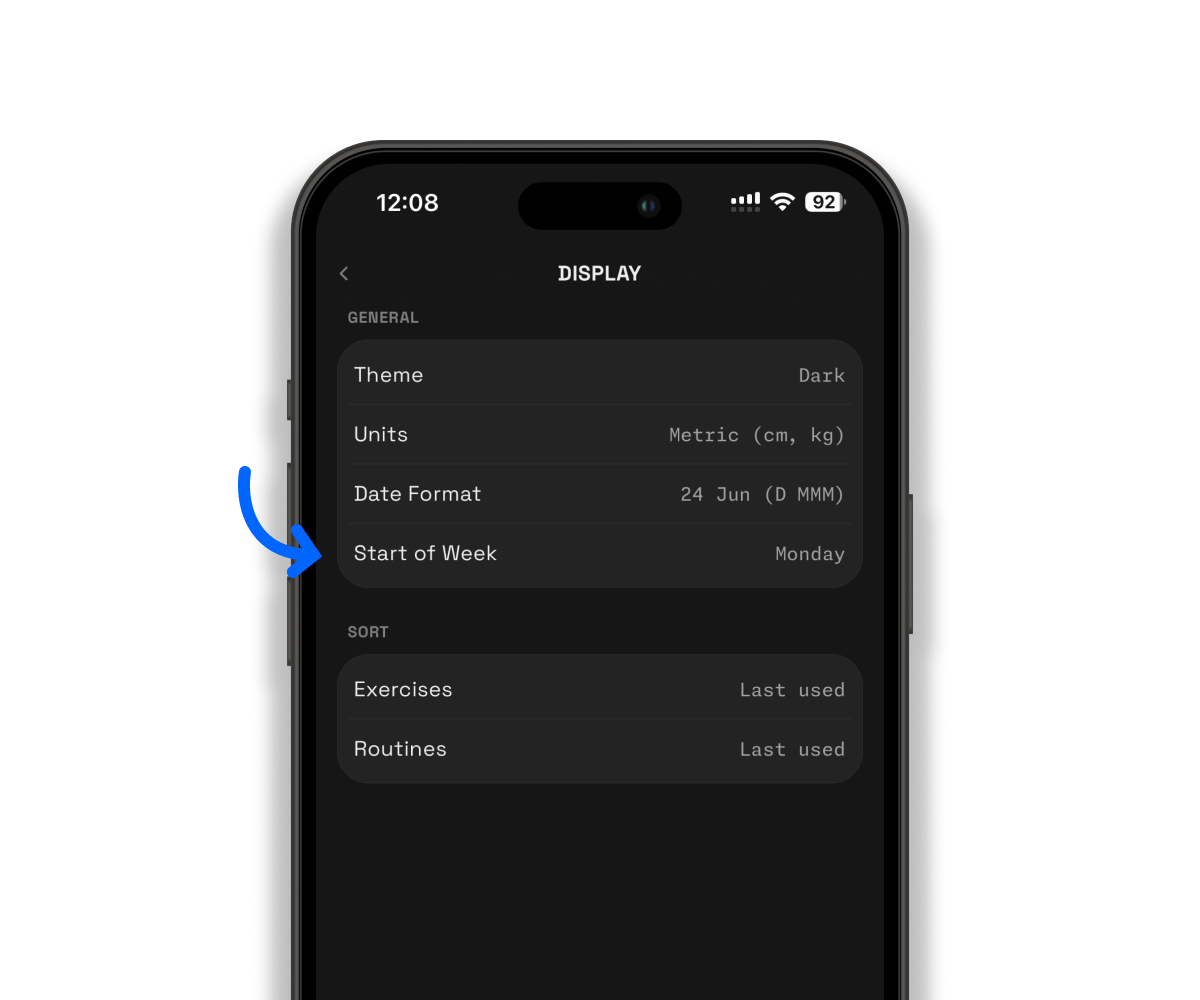
Previously, our calendar was stuck on a Monday start, that's been fixed! You can now choose exactly which day marks the beginning of your workout week.
Just head to Settings > Display and pick the day that works best for you.
❤️ Rate Strongsplit
If you enjoy using the app, do help to leave a review on the App Store, it would help tremendously. Thank you!
App Store: https://apps.apple.com/us/app/strongsplit/id6742700868
Feel free to drop a suggestion or vote on the feedback board (https://strongsplit.userjot.com/). Let me know what else you really need!